Yarra POS
Menu

Restaurant POS for iPhone and iPad

Move every order from table to kitchen to payment with confidence.

Yarra POS brings ordering, tables, payments, customers, delivery, printing, staff operations, and reporting into one restaurant-focused workflow.

Yarra POS Order Entry on iPad showing menu categories, products, a dine-in ticket, totals, Send, and Pay.

Four order types

Dine In, Walk In, Pickup, and Delivery.

iPhone and iPad

Native workflows sized for both device families.

Flexible payments

Cards, cash, gift cards, split, and multi-tender payments.

Connected operations

Kitchen printing, labels, loyalty, reports, and provider online orders.

Explore Yarra POS

Everything your team needs to keep service moving.

Start with the customer-facing workflow, then explore the management controls behind it.

On this page

01

Restaurant Ordering

Serve every restaurant order type through one consistent, easy-to-follow workflow.

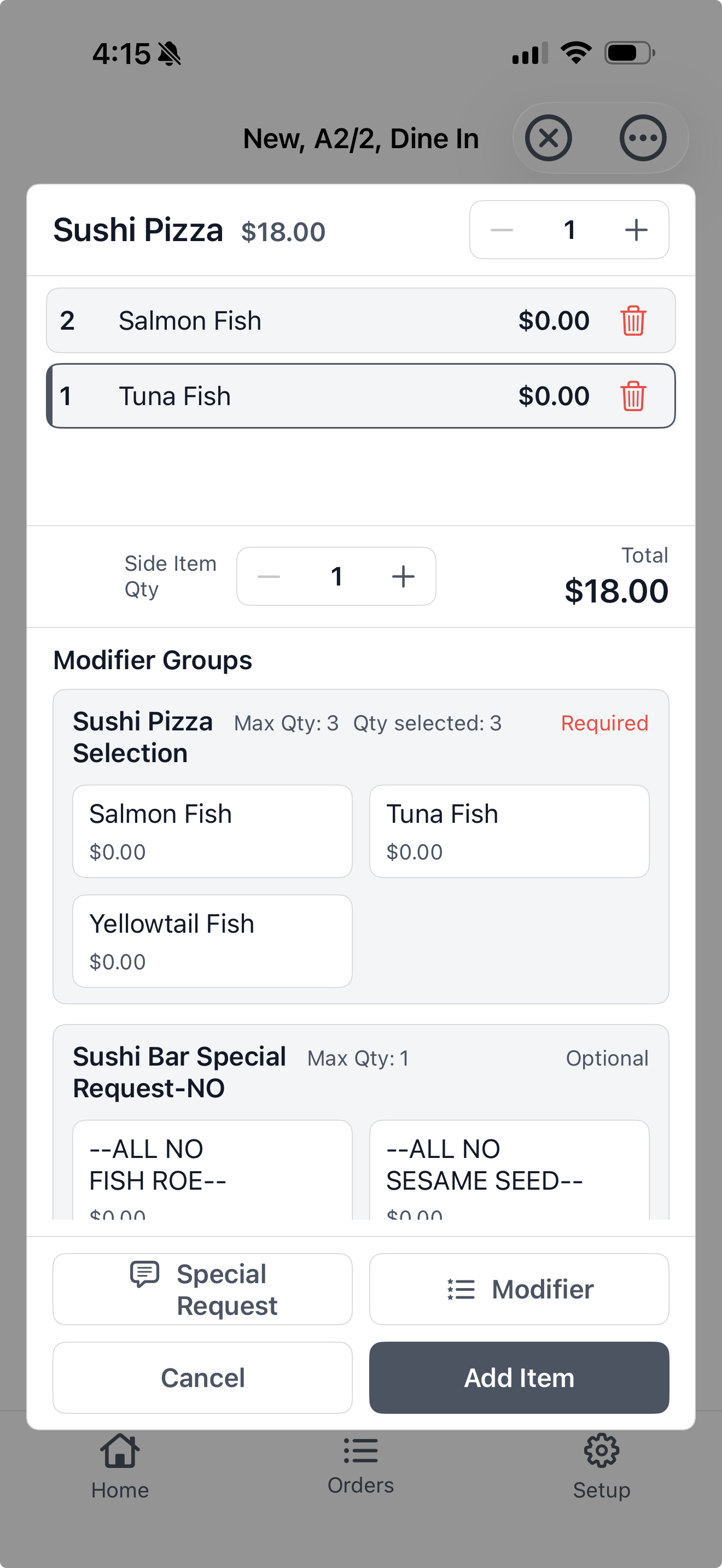
  • Start Dine In, Walk In, Pickup, and Delivery orders.
  • Track guests, assigned staff, ready times, cook times, and order details.
  • Apply tips, discounts, rewards, quantities, and item ordering.
  • Save, hold, send, print, split, combine, or pay without leaving the workflow.
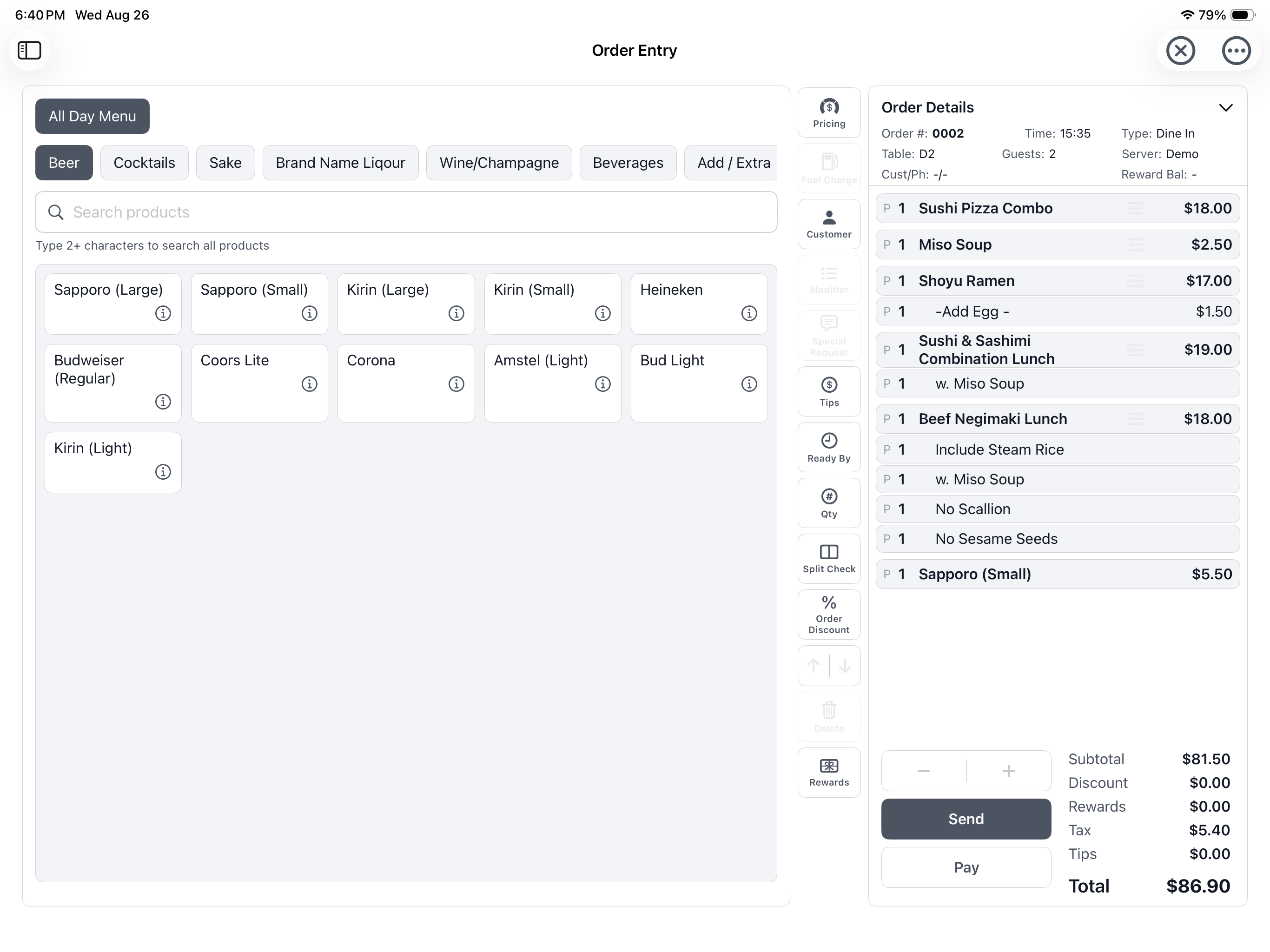
Yarra POS Order Entry on iPad with menu categories, products, an active ticket, totals, and restaurant actions.

03

Tables and Checks

Keep the dining room, table status, and every active check visible throughout service.

  • Organize tables by section and group with available, open, and printed status.
  • See guests, assigned server, tickets, and common actions at a glance.
  • Change the table or server while preserving the active order.
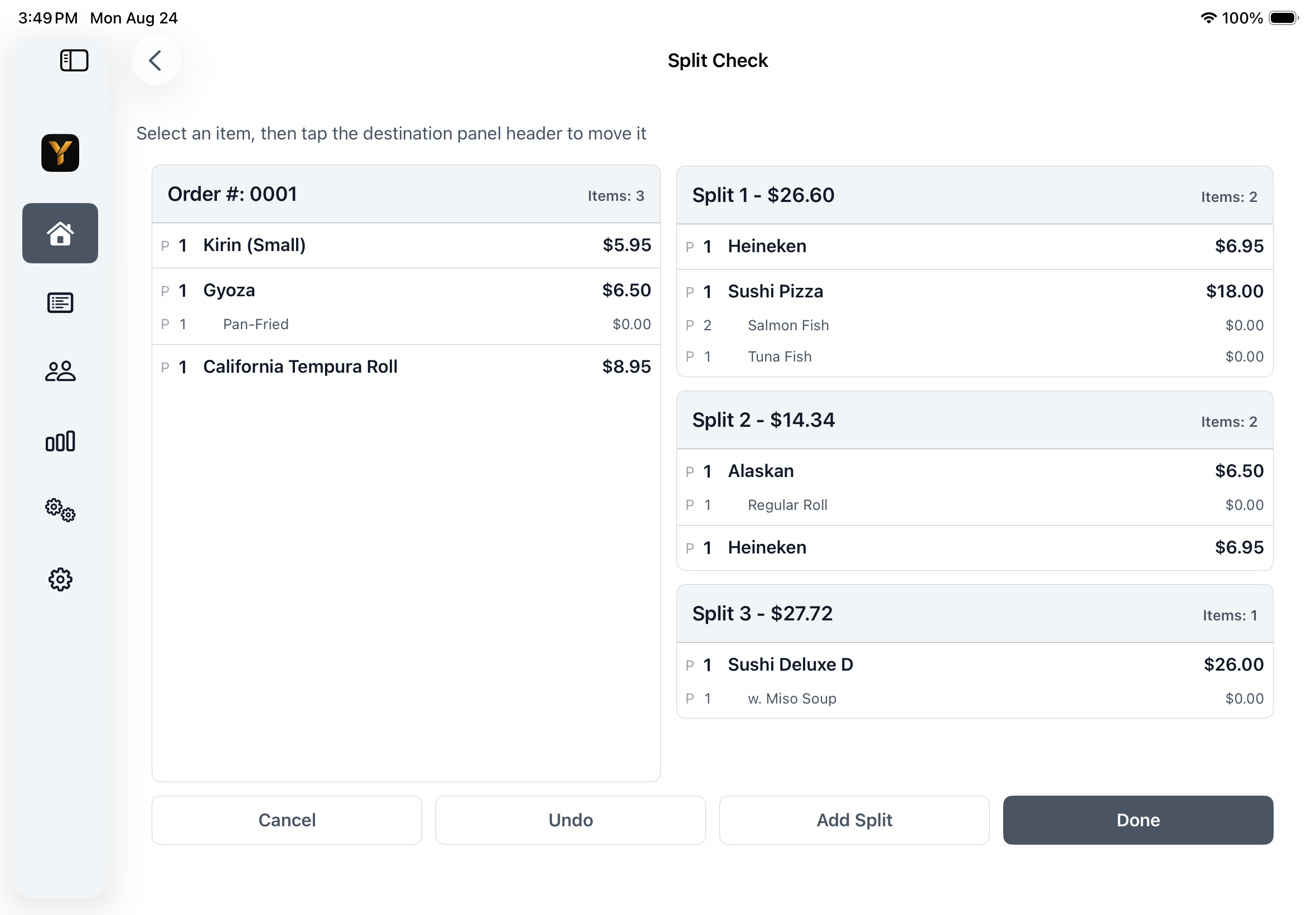
  • Split items or quantities across checks and combine eligible checks.
Yarra POS on iPad showing an original restaurant check organized into multiple split checks.

04

Kitchen and Printing

Route each item to the right preparation and printing destination with a clear send workflow.

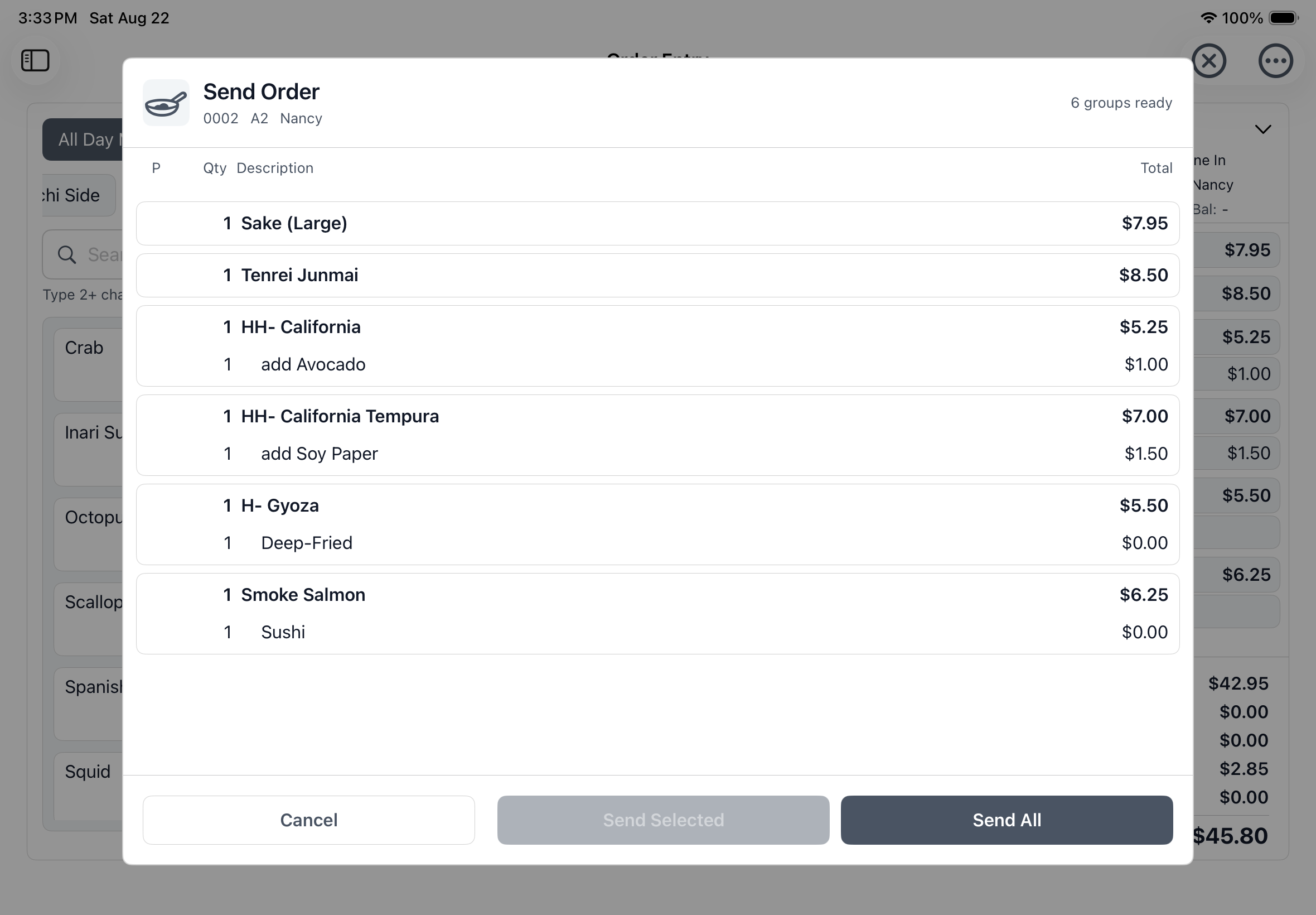
  • Review ready groups and send selected items or every unsent item.
  • Route products to configured kitchen, bar, receipt, and label destinations.
  • Print customer receipts, preparation tickets, void records, and reports.
  • Produce per-item labels with continuation details when configured.
Yarra POS Send Order screen on iPad with ready groups and Send Selected and Send All actions.

05

Payments

Give guests flexible ways to settle a check while staff keep the amount due in view.

  • Accept integrated cards, cash, gift cards, and configured other payment methods.
  • Use partial, multi-tender, and evenly split payments.
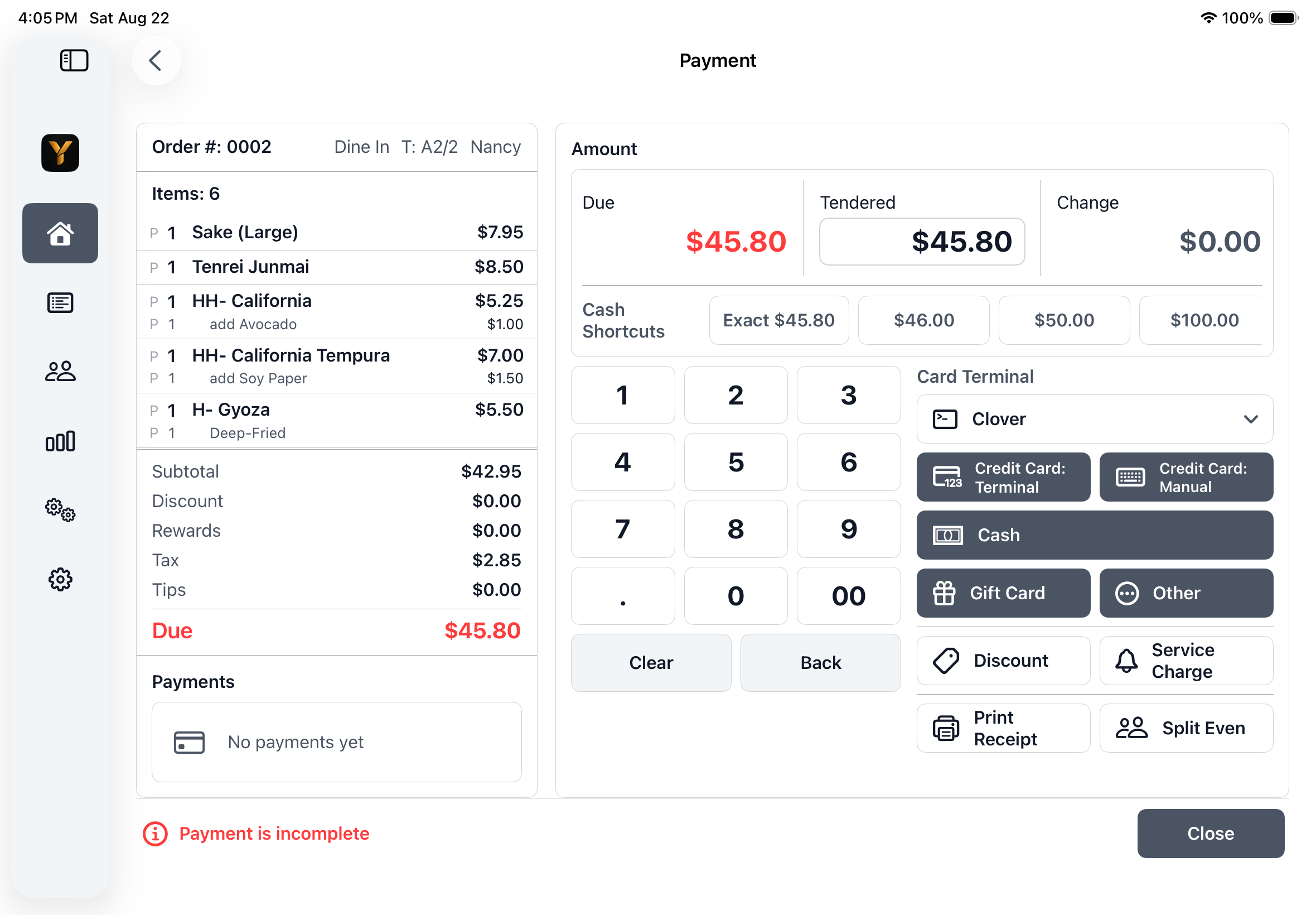
  • Apply tips, discounts, service charges, cash shortcuts, and change calculations.
  • Review payment history, refund or void when authorized, adjust tips, and reprint receipts.
Yarra POS Payment screen on iPad showing the ticket, amount due, cash shortcuts, keypad, and payment methods.

06

Customers, Pickup, and Delivery

Recognize repeat customers and collect the details needed for accurate off-premise service.

  • Match supported Caller ID lines or search customers by phone.
  • Maintain names, multiple phones, addresses, directions, remarks, and internal notes.
  • Use address search, delivery-area validation, ZIP checks, and mileage.
  • Review order history, repeat past orders, and apply configured delivery or fuel charges.
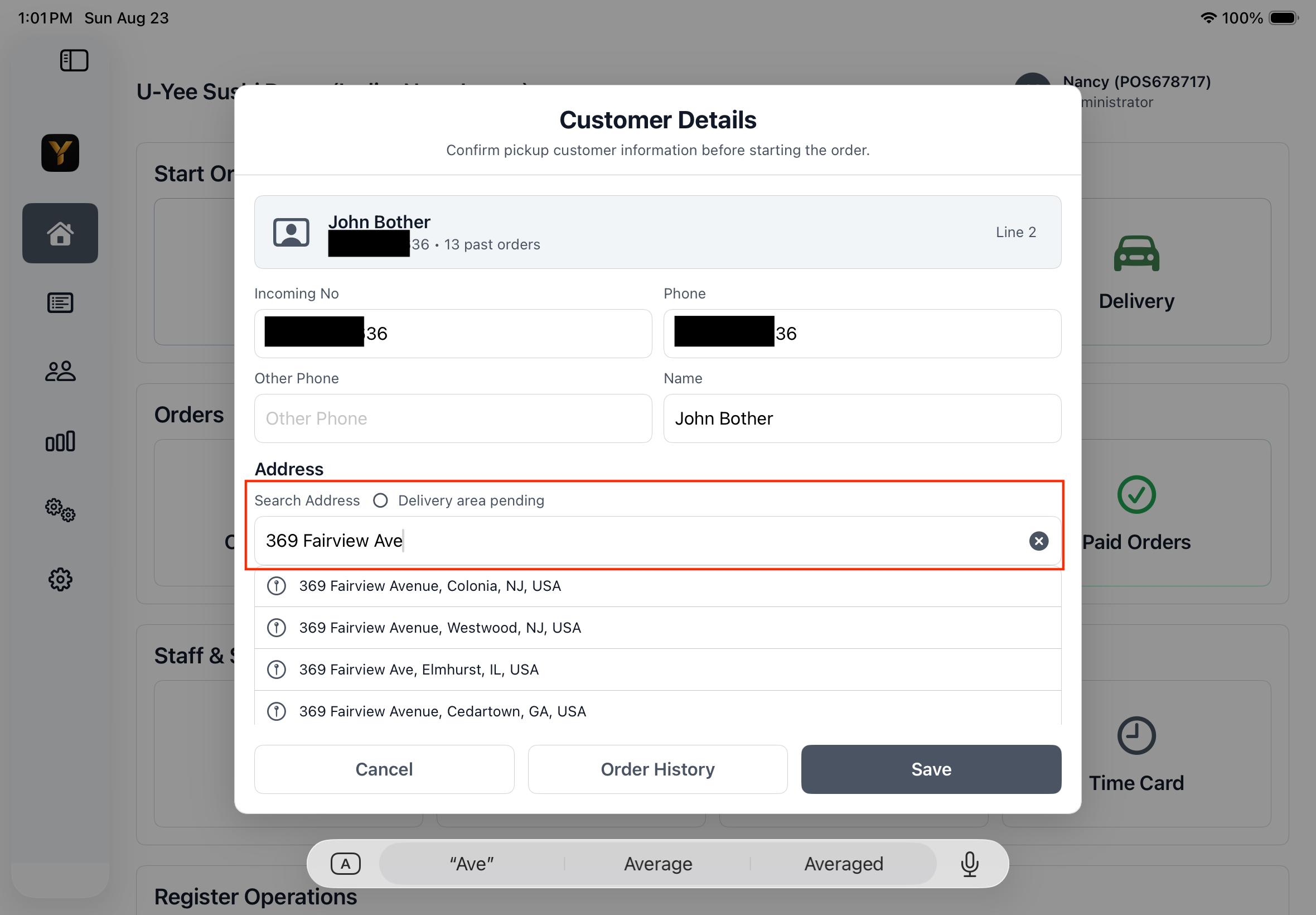
Yarra POS Customer Details on iPad with address suggestions and delivery-area validation.

07

Provider Online Orders

Manage provider online-order operations alongside the restaurant's in-store workflow.

  • Bind, synchronize, enable, disable, and manage provider connections.
  • Control store availability, preparation time, busy state, and holiday hours.
  • Map categories and products, maintain provider pricing, and update stock.
  • Validate, upload, approve, cancel, and monitor menu publishing jobs.
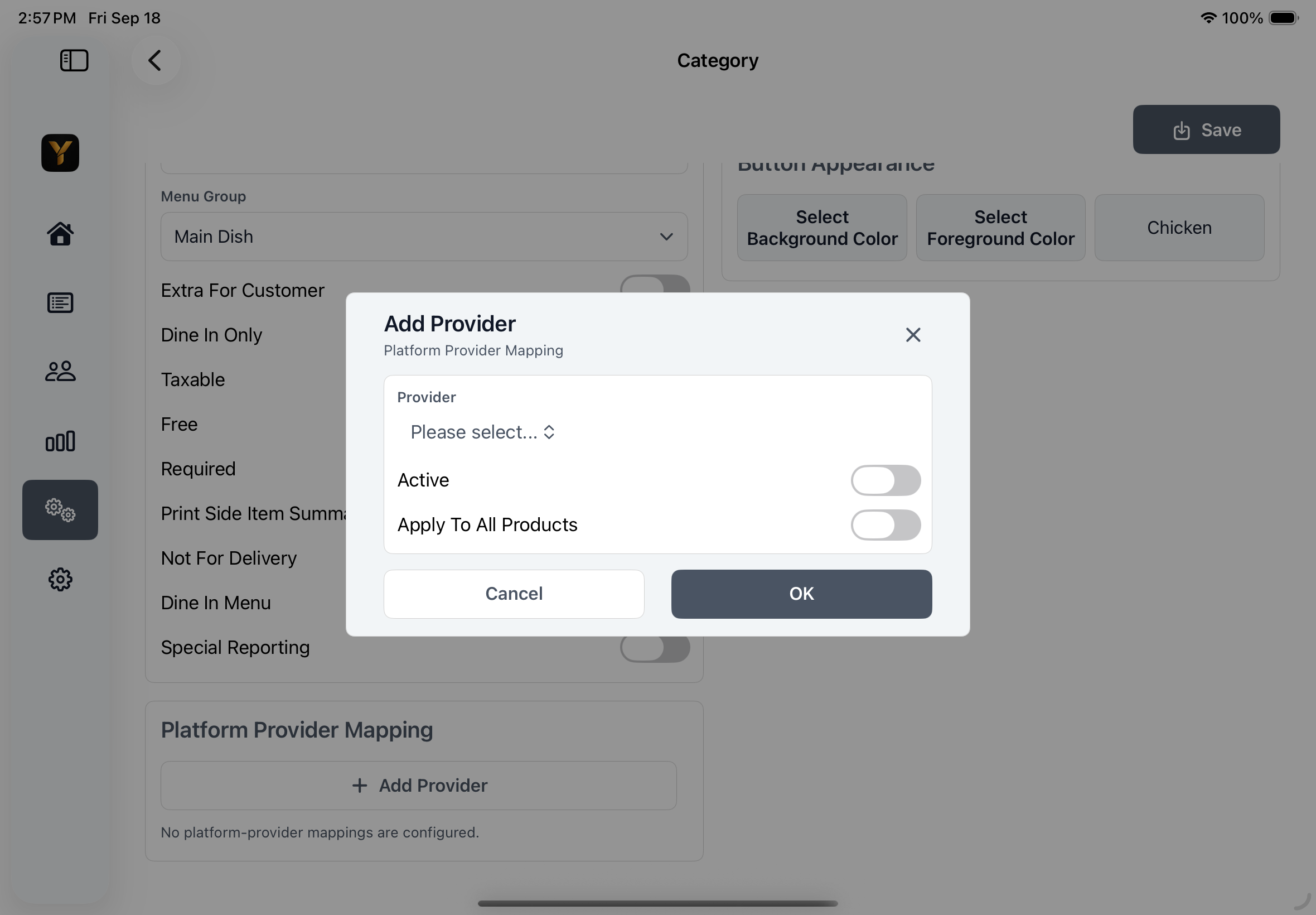
Yarra POS provider mapping dialog on iPad for connecting a menu category to a provider.

08

Gift Cards and Loyalty

Support repeat visits with stored value and configurable reward programs.

  • Look up gift-card balances and history by QR code or manual entry.
  • Sell, issue, activate, redeem, and print gift-certificate receipts.
  • View reward balances and apply eligible discounts or free products.
  • Configure points, qualification, quantity, category, order type, and date eligibility.

09

Staff and Business Insights

Give owners and managers practical operational visibility without slowing service.

  • Use quick login, role-based access, manager approval, and user pricing profiles.
  • Manage cashier sessions, time cards, tips, staff bank, and cash reconciliation.
  • Review sales, category, delivery, tips, and credit-card batch reports.
  • Print or export supported operational summaries and detailed records.
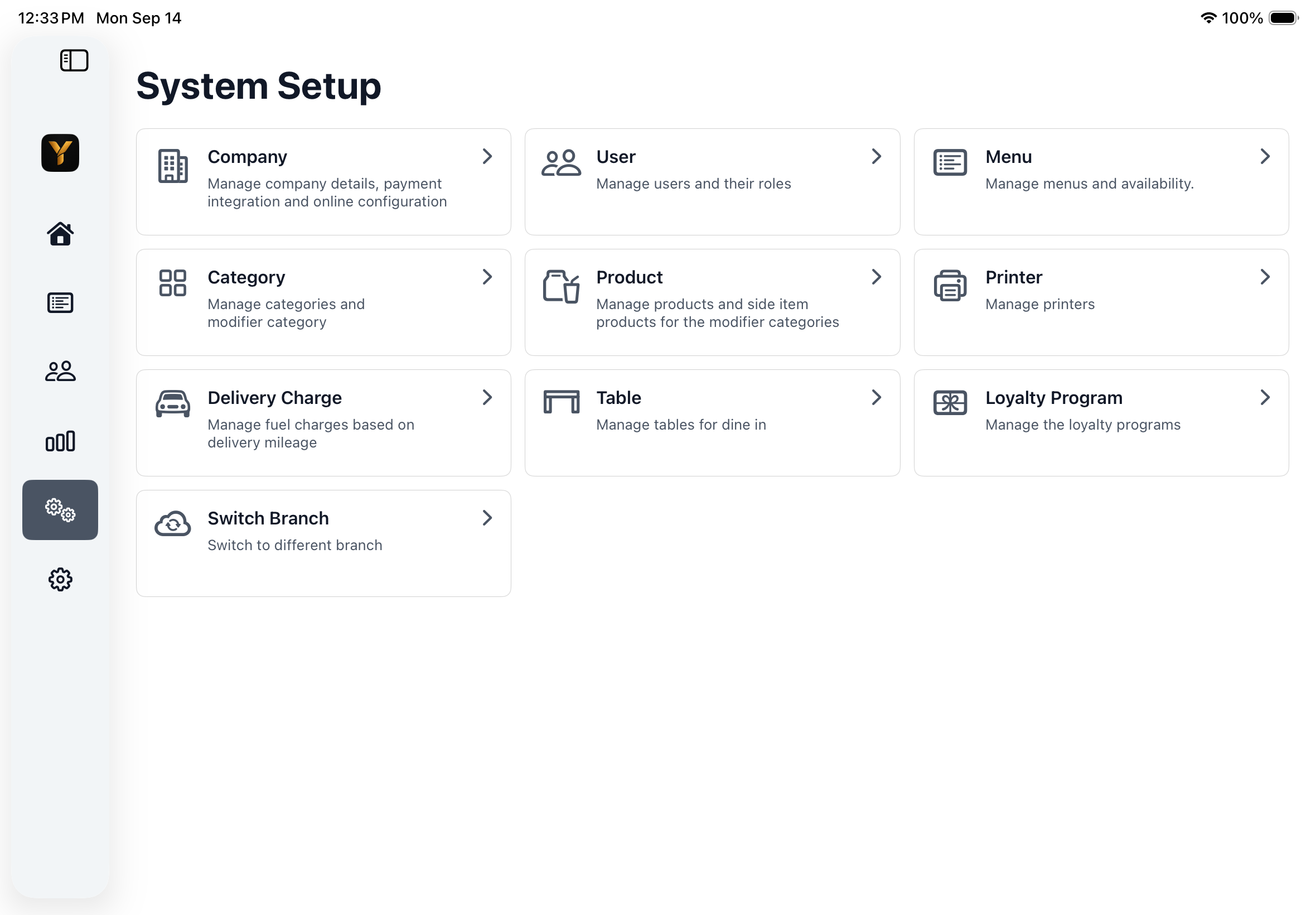
Yarra POS System Setup on iPad showing company, users, menus, categories, products, printers, tables, loyalty, and branch controls.

Built for the details behind serious restaurant operations.

Explore the menu, pricing, user, printer, delivery, cash, provider online-order, and reporting controls available to managers.

Explore Management Features

See Yarra POS in your restaurant workflow.

Talk with Yarra Systems about your service model, supported devices, payments, and compatible hardware.

Yarra POS application screen